Directories
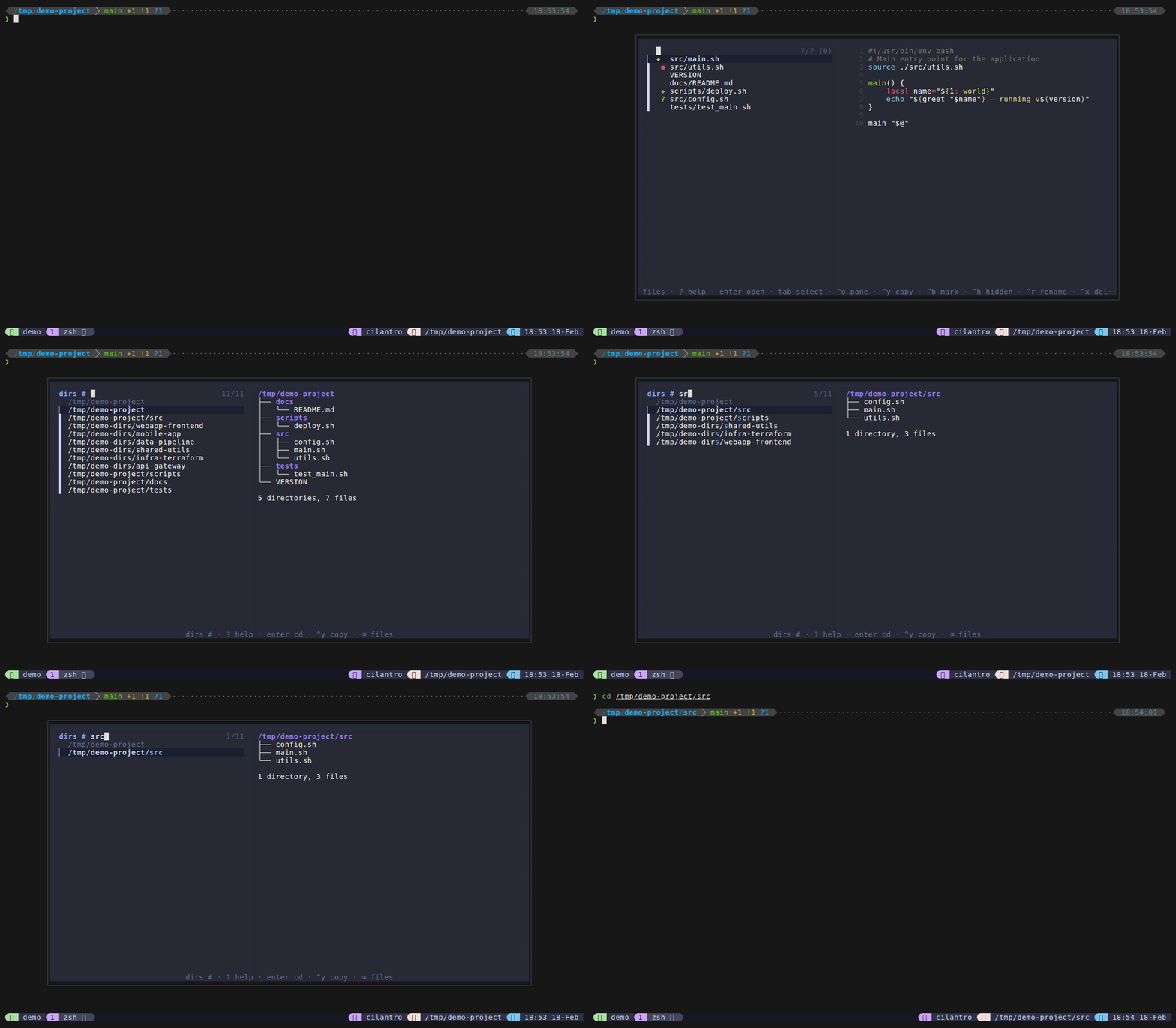
Directory jump mode lets you quickly navigate to any directory. It uses zoxide’s frecency-ranked directory list when available, falling back to fd or find. Selecting a directory sends cd <path> to your originating pane.
How to access: Type # from files mode, or bind a dedicated key via @dispatch-dirs-key.
Keybindings
| Key | Action |
|---|---|
Enter | Send cd <directory> to originating pane |
Ctrl+Y | Copy directory path to clipboard |
Backspace on empty | Return to files (home) |
Ctrl+D / Ctrl+U | Scroll preview down/up |
? | Show help cheat sheet in preview |
Escape | Close popup |
Features
- Zoxide integration – when zoxide is installed, directories are listed from
zoxide query --list, ranked by frecency (most used/recent first). Paths under$HOMEdisplay with~prefix for readability. - Fallback chain – zoxide > fd (list directories) > find (list directories). Always works even without optional tools.
- Tree/ls preview – shows directory contents via
tree -C -L 2if tree is installed, otherwisels -lawith color detection for GNU vs BSD ls. - Backspace-to-home – returns to files mode via fzf’s become action. See Mode Switching for details.
Configuration
| Option | Default | Description |
|---|---|---|
@dispatch-dirs-key | none | Direct keybinding (disabled by default; use # prefix from files mode) |
Tips
- Install zoxide for the best experience – it ranks directories you actually use most frequently.
- Without zoxide, the mode lists directories from the current working directory via fd/find.
- Selecting a directory sends the cd command directly to your pane – you don’t need to type anything.
- Paths with
~are expanded back to$HOMEbefore sending the cd command.