Sessions
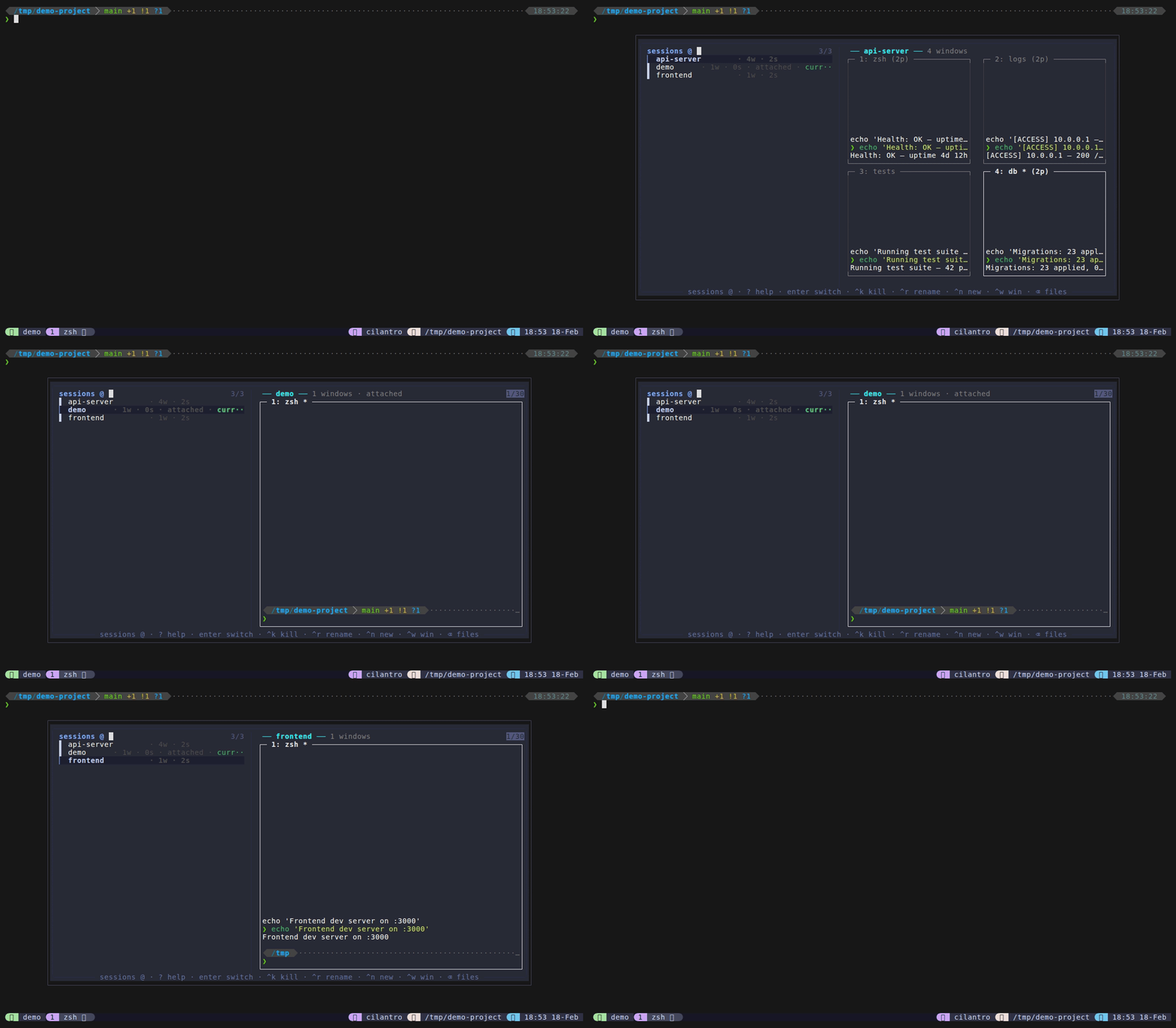
Session mode is the hub for tmux session management. Switch between sessions, create new ones by typing a name, kill sessions, launch project-based sessions, browse windows, and rename – all from the same popup.
How to access: Type @ from files mode, or set @dispatch-session-key (e.g., M-w) for a direct keybinding.
Session list format: Each session shows: name · Nw · age [· attached] [· current] where N is the window count, age is relative time since last activity (e.g., “5m”, “2h”), “attached” appears if a client is connected, and “current” (in green) marks the session you’re in.
Keybindings
| Key | Action |
|---|---|
Enter | Switch to selected session (or create if name doesn’t exist) |
Ctrl+K | Kill selected session (refuses to kill current) |
Ctrl+N | Create session from project directory picker |
Ctrl+W | Browse windows for selected session |
Ctrl+Y | Copy session name to clipboard |
Ctrl+R | Rename session inline |
Backspace on empty | Return to files (home) |
Ctrl+D / Ctrl+U | Scroll preview down/up |
? | Show help cheat sheet in preview |
Escape | Close popup |
Features
- Session preview – shows a 2-column grid of window boxes, each containing a snapshot of the active pane’s content (rendered by session-preview.sh using perl for ANSI-aware width handling). Active window boxes are bright white, inactive ones are dimmed. See Preview System for details.
- Create-on-Enter – if you type a session name that doesn’t exist and press Enter, it creates the session and switches to it.
- Kill protection –
Ctrl+Krefuses to kill the current session (shows “Cannot kill current session”). - Backspace-to-home – returns to files mode via fzf’s become action. See Mode Switching for details.
Sub-modes
Session mode provides access to three sub-modes, each launched from within the session picker.
Project Launcher (Ctrl+N)
Opens a git-aware project picker that scans configured directories for git repositories (up to @dispatch-session-depth levels deep, default 3) and non-git subdirectories. Select a directory to create a new session named after it (dots and colons are sanitized to hyphens). If a session with that name already exists, switches to it instead.
Listing format: Each entry shows the tilde-collapsed path with ★ (green) marking directories that already have a tmux session. Non-git directories show (directory) after the path. Branch information is shown in the preview pane.
Preview: Git repos show branch name with remote tracking info (ahead/behind), dirty file count with the first 5 changed files, and the 10 most recent commits. Non-git directories show tree -C -L 2 or ls -la.
Project directories are configured via @dispatch-session-dirs (colon-separated paths, default: $HOME/Projects). Overlapping paths are deduplicated automatically.
Window Picker (Ctrl+W)
Opens a window list for the selected session showing: index: name [*] (N panes) where * marks the active window. Preview shows the active pane’s content snapshot. Select a window to switch to that session and window.
Backspace returns to session mode.
See the dedicated Windows page for details.
Rename Session (Ctrl+R)
Enters inline rename mode – the current session name becomes the fzf query. Edit the name and press Enter to confirm. The preview shows a live diff (old name -> new name) with availability check. Conflict detection prevents renaming to an existing session name.
Escape cancels and returns to session mode.
Configuration
| Option | Default | Description |
|---|---|---|
@dispatch-session-key | none | Prefix-free key to open sessions directly (disabled by default; use @ prefix instead) |
@dispatch-session-prefix-key | none | Prefix keybinding for sessions |
@dispatch-session-dirs | $HOME/Projects | Colon-separated directories for Ctrl+N project picker |
@dispatch-session-depth | 3 | Max depth for git repo discovery in project picker |
Tips
- Type a new session name and press Enter to create it instantly – no need for Ctrl+N if you don’t need a project directory.
- The preview grid shows real pane content, making it easy to identify which session has what.
- Use Ctrl+N with
@dispatch-session-dirs "$HOME/Projects:$HOME/work"to pick from multiple project roots. - Session names with dots or colons are automatically sanitized (replaced with hyphens) since tmux doesn’t allow those characters.