Git Status
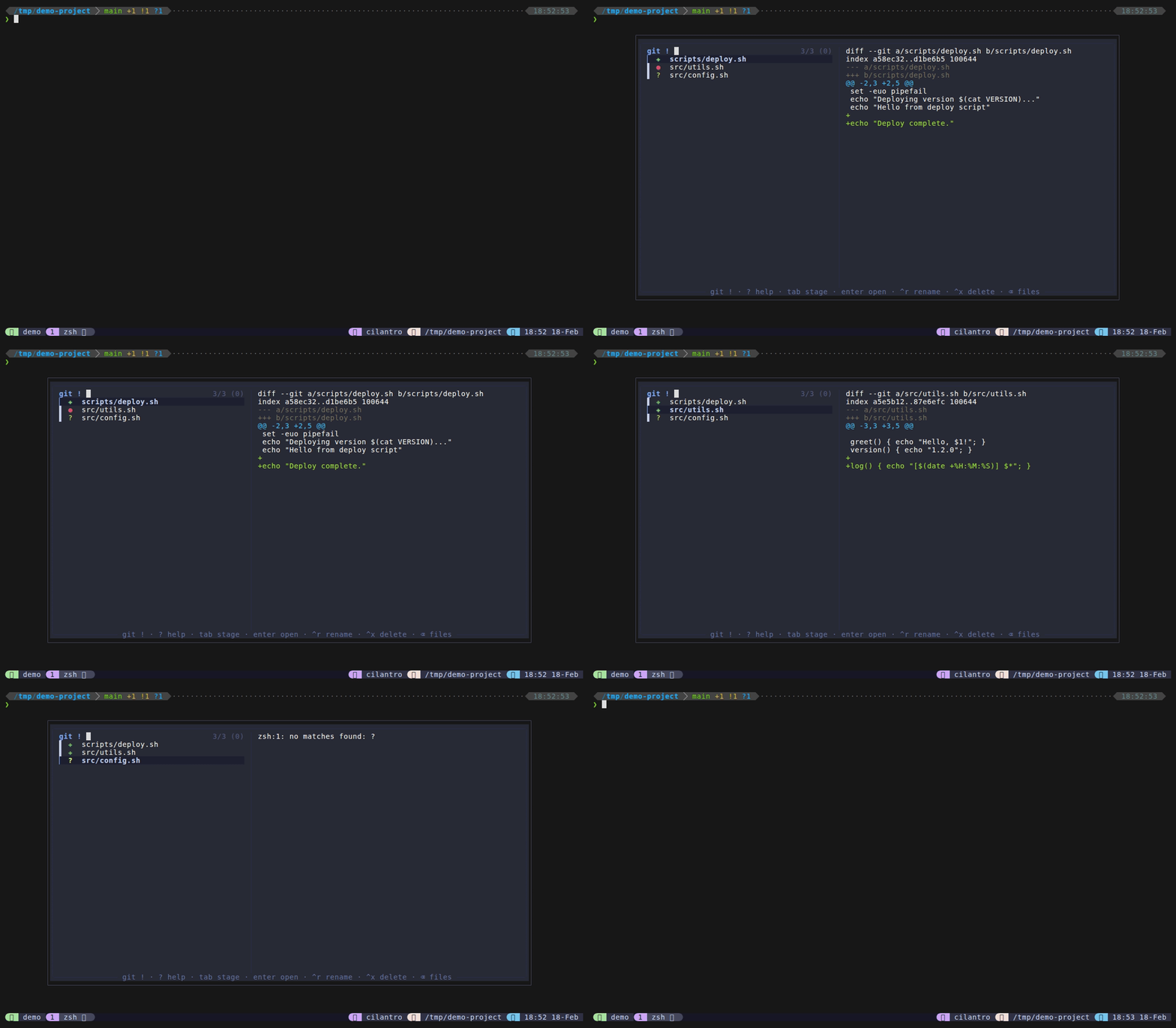
Git status mode shows all changed files in your working tree with colored status icons. Stage or unstage files with Tab, preview diffs on the right, and open files for editing – all without leaving the popup. The list and icons update immediately after each stage/unstage action.
This mode only works inside a git repository. If you open it outside a git working tree, it displays a message and exits gracefully.
How to access
- Type
!from files mode to switch to git status. - Set a direct keybinding via
@dispatch-git-key(disabled by default).
Status icons
| Icon | Color | Meaning |
|---|---|---|
✚ | Green | Staged (index has changes) |
● | Red | Modified (working tree changes only) |
✹ | Purple | Both staged and unstaged changes |
? | Yellow | Untracked file |
Keybindings
| Key | Action |
|---|---|
Enter | Edit file in popup |
Tab | Stage/unstage file (icon updates in-place) |
Ctrl+O | Send editor open command to pane |
Ctrl+Y | Copy file path to clipboard |
Shift+Tab | Toggle selection (multi-select) |
Ctrl+R | Rename file |
Ctrl+X | Delete file(s) with confirmation |
Backspace on empty | Return to files (home) |
Ctrl+D / Ctrl+U | Scroll preview down/up |
? | Show help cheat sheet in preview |
Escape | Close popup |
Features
- Stage/unstage toggle – pressing
Tabcallsgit addorgit restore --stageddepending on the file’s current state, then reloads the list. The icon changes immediately to reflect the new status. - Smart diff preview –
git-preview.shshows the appropriate diff based on the file’s status: staged diff (git diff --cached) for✚, unstaged diff (git diff) for●, combined diff (git diff HEAD) for✹, and plain file content for?(untracked). Diffs are syntax-highlighted via bat when available. See Preview System for more details. - Colored icons – the same icon and color scheme is used in files mode’s inline git indicators, providing a consistent visual language across modes.
- Backspace-to-home – when the query is empty, pressing
Backspacereturns to files mode. See Mode Switching. - Dual-action editing –
Enteropens the file in the popup editor,Ctrl+Osends the editor command to your originating pane.
Configuration
| Option | Default | Description |
|---|---|---|
@dispatch-git-key | none | Direct keybinding (disabled by default; use ! prefix from files mode) |
@dispatch-popup-editor | auto-detect | Editor for popup (nvim > vim > vi) |
@dispatch-pane-editor | $EDITOR | Editor for send-to-pane (Ctrl+O) |
Tips
- Use
Tabto stage multiple files quickly, then commit from your terminal outside the popup. - The diff preview automatically shows the right diff type based on the file’s git status – no need to remember which diff command to use.
- Git indicators in files mode (the colored icons next to filenames) use the same icon and color scheme. If you find them distracting, disable them with
@dispatch-git-indicators "off". - The file list comes from
git status --porcelain, so it respects your.gitignorerules.