Live Grep
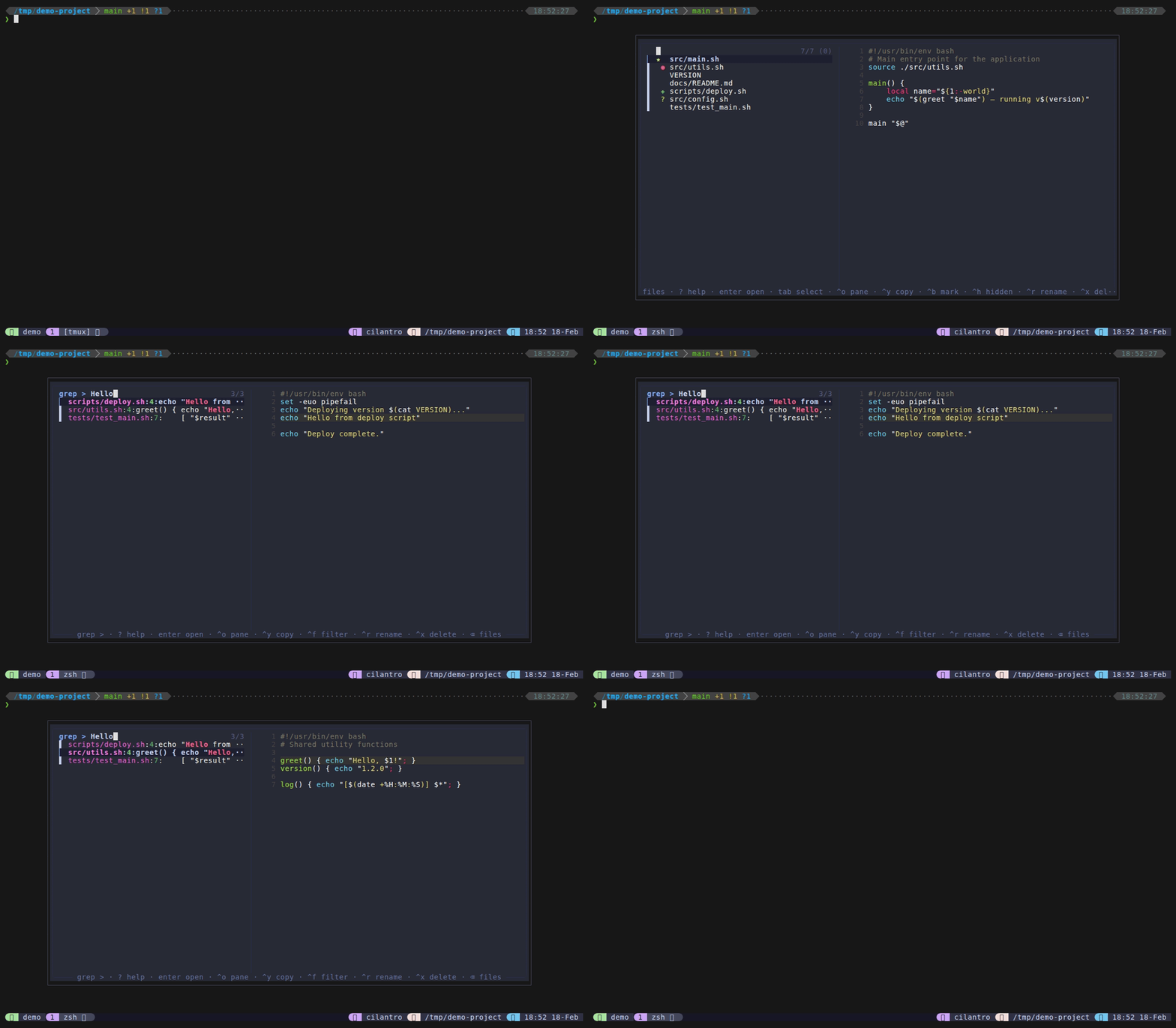
Live grep mode uses ripgrep (rg) to search file contents in real time. Results reload on every keystroke – type your query and matching lines appear instantly. The preview pane shows the matching file with the matched line highlighted via bat.
Unlike files mode, grep mode runs fzf in --disabled mode: fzf does not filter the results itself, but instead re-executes ripgrep with the current query on every change. This gives you the full power of ripgrep’s regex engine and smart-case matching.
How to access
- Type
>from files mode – the remainder of your query becomes the grep search term. - Set
@dispatch-grep-key(e.g.,M-s) in your~/.tmux.conffor a direct keybinding.
Keybindings
| Key | Action |
|---|---|
Enter | Edit file at matching line in popup |
Ctrl+O | Send editor open command with +line to pane |
Ctrl+Y | Copy file:line to clipboard |
Ctrl+F | Toggle between live search and fuzzy filter |
Ctrl+R | Rename the matched file |
Ctrl+X | Delete the matched file |
Backspace on empty | Return to files (home) |
Ctrl+D / Ctrl+U | Scroll preview down/up |
? | Show help cheat sheet in preview |
Escape | Close popup |
Features
- Live reload – fzf runs in
--disabledmode with achange:reloadbinding, so ripgrep re-executes on every keystroke. No need to press Enter to search. - Filter toggle – press
Ctrl+Fto switch from live ripgrep search to fuzzy filtering on the current results. The prompt changes tofilter >to indicate filter mode. This is useful when you want to narrow down a large set of matches by filename or content. PressCtrl+Fagain to return to live search. - Line-highlighted preview –
preview.shpasses the line number to bat’s--highlight-line, visually marking the match in the preview pane. See Preview System for details. - File + line references –
Ctrl+Ycopies thefile:lineformat to the clipboard.Ctrl+Osends the editor open command with+linenumso your editor jumps directly to the match. - Smart case – ripgrep uses
--smart-caseby default: searches are case-insensitive unless your query contains an uppercase letter. - Backspace-to-home – when the query is empty, pressing
Backspacereturns to files mode via fzf’sbecomeaction. See Mode Switching. - Rename from results – press
Ctrl+Rto rename the file that contains the current match, without leaving the popup.
Configuration
| Option | Default | Description |
|---|---|---|
@dispatch-grep-key | none | Prefix-free key to open grep directly (disabled by default; use > prefix instead) |
@dispatch-rg-args | "" | Extra arguments passed to ripgrep |
@dispatch-popup-editor | auto-detect | Editor for popup (nvim > vim > vi) |
@dispatch-pane-editor | $EDITOR | Editor for send-to-pane (Ctrl+O) |
Tips
- Ripgrep is required for grep mode – it is not optional like fd or bat. If rg is not installed, the mode will show an install prompt and exit.
- Use
@dispatch-rg-argsto add permanent filters, for example--glob '!*.min.js'to exclude minified files. - From files mode, type
>functionNameto instantly search for a function – the>switches to grep andfunctionNamebecomes the query. - Results are formatted as
file:line:content– files with colons in the name will not parse correctly (rare on Unix systems). - Smart case means searching for
errormatchesErrorandERROR, but searching forErroronly matches that exact casing.